As you prep for your Advanced Flight Review, it can be helpful to know what to expect and what exactly your reviewer is looking out for. What is going through their head? What separates a good candidate from a great one, and from one who gets to try again 24-hours later.
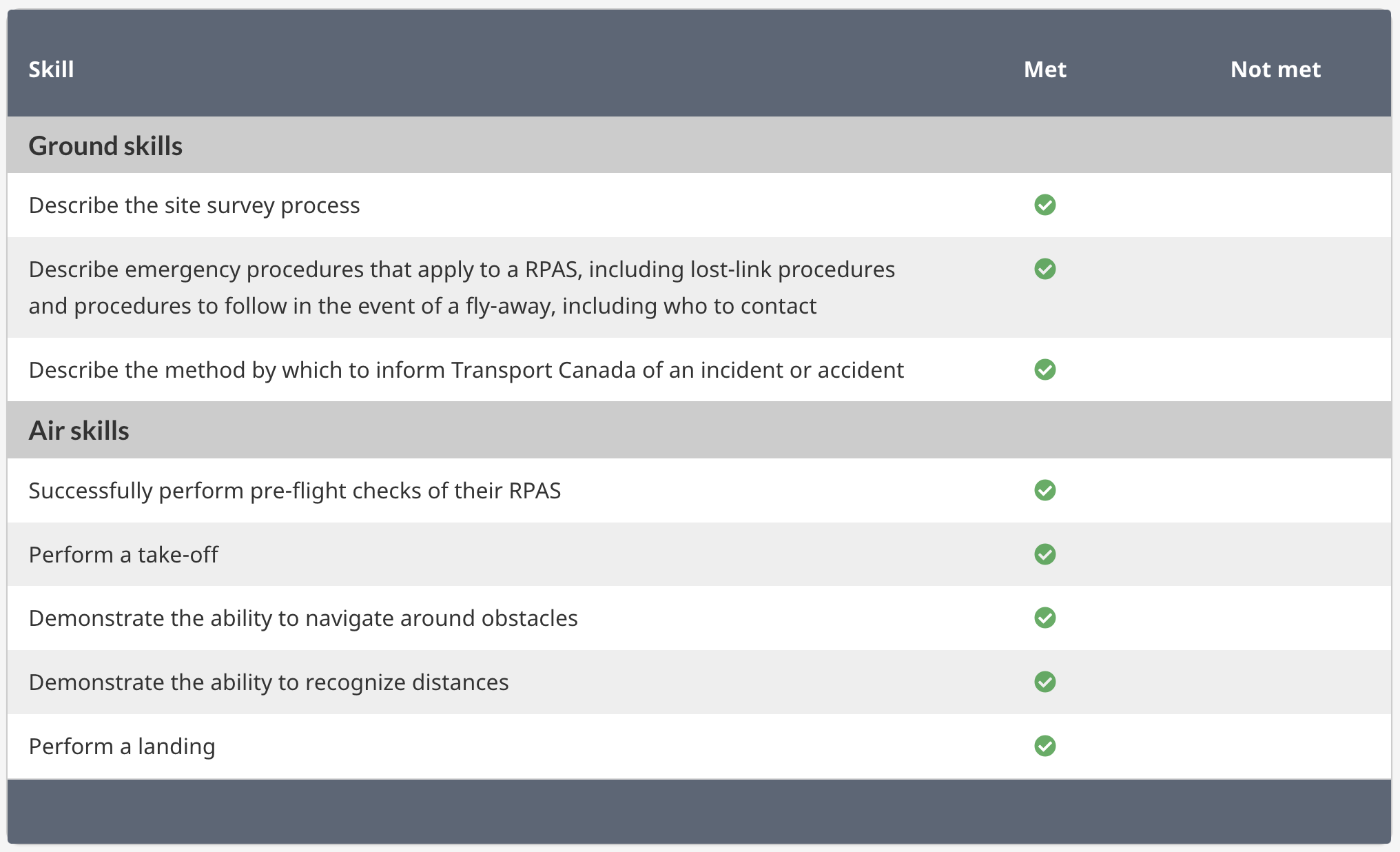
When a reviewer goes to input your flight review results into the Drone Management Portal, they have the option of selecting Met or Not Met for the exercises listed below. All of these and more come from TP 15395 – 250 g up to and including 150 kg, Operating within Visual Line-of-Sight (VLOS), Extended Visual Line-of-Sight (EVLOS), Sheltered VLOS, or Level 1 Complex (BVLOS)
Let’s take a look at each individually to learn what you can expect and what you need to be able to show your reviewer.
Describe the site survey process
What you can expect
Reviews don’t have to take place in the operational environment they’re qualifying you for, but reviewers do need to be able to confidently say you could safely operate there. The way most reviewers get around this is by setting you up with a mock scenario to complete a site survey for. Not only will you prep a site survey for your actual review location, but you’ll do a second one for this made up scenario. Bring both to your review, completed as fully as they can be, and be prepared to answer questions about them like:
- Is this flight in controlled airspace?
- How did you find out?
- If a location is in controlled airspace, how can you get permission to operate there?
- Who would you get in touch with if you had a flyaway and your RPA was entering this airspace?
- And how would you get in touch with them?
- Where do you anticipate launching from?
- Will bystanders be an issue there?
- Is the weather today within limits?
- How do you know?
What your reviewer needs to see
Your reviewer wants to see you actually use your Site Survey. Have it available, update information based on the actual site and day, using it to orient yourself to airspace, traffic and bystanders, and provide context in your crew briefing.
Describe emergency procedures that apply to flying an RPA, including lost-link procedures and procedures to follow in the event of a fly-away, including who to contact
What you can expect
This might come up in your pre-flight and during the flight portion as well. Some reviewers will walk you through this explicitly – “what would you do if you had a lost-link that led to a fly-away?” – and others might give you a hypothetical scenario – “imagine you looked up and your drone was climbing and drifting toward those trees, what would you do?”. Pay close attention to where the made up scenario makes your drone drift. If you’re headed toward controlled airspace or an area with high air-traffic, be prepared to talk about notifying appropriate ATS to inform them of the potential for incursion.
What your reviewer needs to see
Remember those fancy Emergency SOP you created? Get ‘em out! Even if you can execute them 100% by memory, do what you remember to do and then double check you hit all the items in your procedure. Stress of the review (and stress of a real-life emergency) might make you forget something critical. If you’re flying with a visual observer or other crew member, now is a great time to put them to work and demonstrate your crew resource management skills by getting them to read out items while you keep both hands on the controls.
Describe what is required of the pilot if there is an incident or accident
What you can expect
Similar to the other emergency scenario, hopefully this is a hypothetical scenario! Your reviewer might assess both of these with your handing of the flyaway or build on it with questions like “what would be required of you if you suspect your RPAS hit another aircraft?” or “thankfully RTH activated but it crashed before it made it back – what would you do?”
What your reviewer needs to see
You want to roll with emergency scenarios all the way through to when you would be back in the car or in your office telling someone about “this crazy thing that happened today while you were flying”. What I mean by that is don’t stop at in-flight troubleshooting. Don’t stop at drone is back on the ground. Don’t even stop at the flight being logged. Talk about investigating, documenting, maintenance and sharing lessons learned. Though some of that can wait until you’re back on the ground and the drone is secured, if the scenario took place while you were still flying.
Successfully perform pre-flight checks of their RPAS
What you can expect
When I do reviews, I call this phase of the review my “lurk mode”. I just hang back, watch the candidate prep the drone for the flight and note their checklist use, how they set up their take-off area, and if they notice any overhead aircraft or bystanders that pop up while they’re prepping.
What your reviewer needs to see
Your reviewer is looking for good decision-making based on the variables that exist for the specific site you’re at. You’ll want to be methodical, using your checklists, organized and able to make a safe GO/NO-GO decision based on your findings.
Perform a take-off
What you can expect
The reviewer will likely ask you to depart when you’re ready, and give you sufficient time to complete any post-take off checks as required.
What your reviewer needs to see
Make sure you’re complying with any airspace permissions before you launch and noting the take-off time. Other than that, this exercise is pretty straight-forward!
Demonstrate the ability to navigate around obstacles
What you can expect
There are lots of fun ways reviewers have organized to assess this item.
This is probably the most reviewer-dependent area of the whole process. For me, it involves navigating to different cones and identifying the picture on them. Some use buckets, some have you doing point-of-interest orbits. This part can be pretty fun if you can let it.
What your reviewer needs to see
We’re supposed to be assessing your ability to:
- maintain a stable airspeed, cruising altitude, and heading
- navigate by applying systematic navigation techniques
- orient the RPA to the direction of flight
- navigate around an obstacle or fixed point
but the extent of those things isn’t well defined. Most reviewers want to see that you can fly safely, in the direction that you intend to, and can use the sticks in all directions that they go. You might also get asked some more complex navigation questions if you’re using a more automated flying method like
- verify the position of the aircraft
- revise headings to correct any existing track error to maintain the aircraft’s position due to wind
- confirm or revise the fuel or power available at the destination landing point with a degree of accuracy that would make arrival assured
- confirm current fuel or power levels meet requirements for the flight
Demonstrate the ability to recognize distances
What you can expect
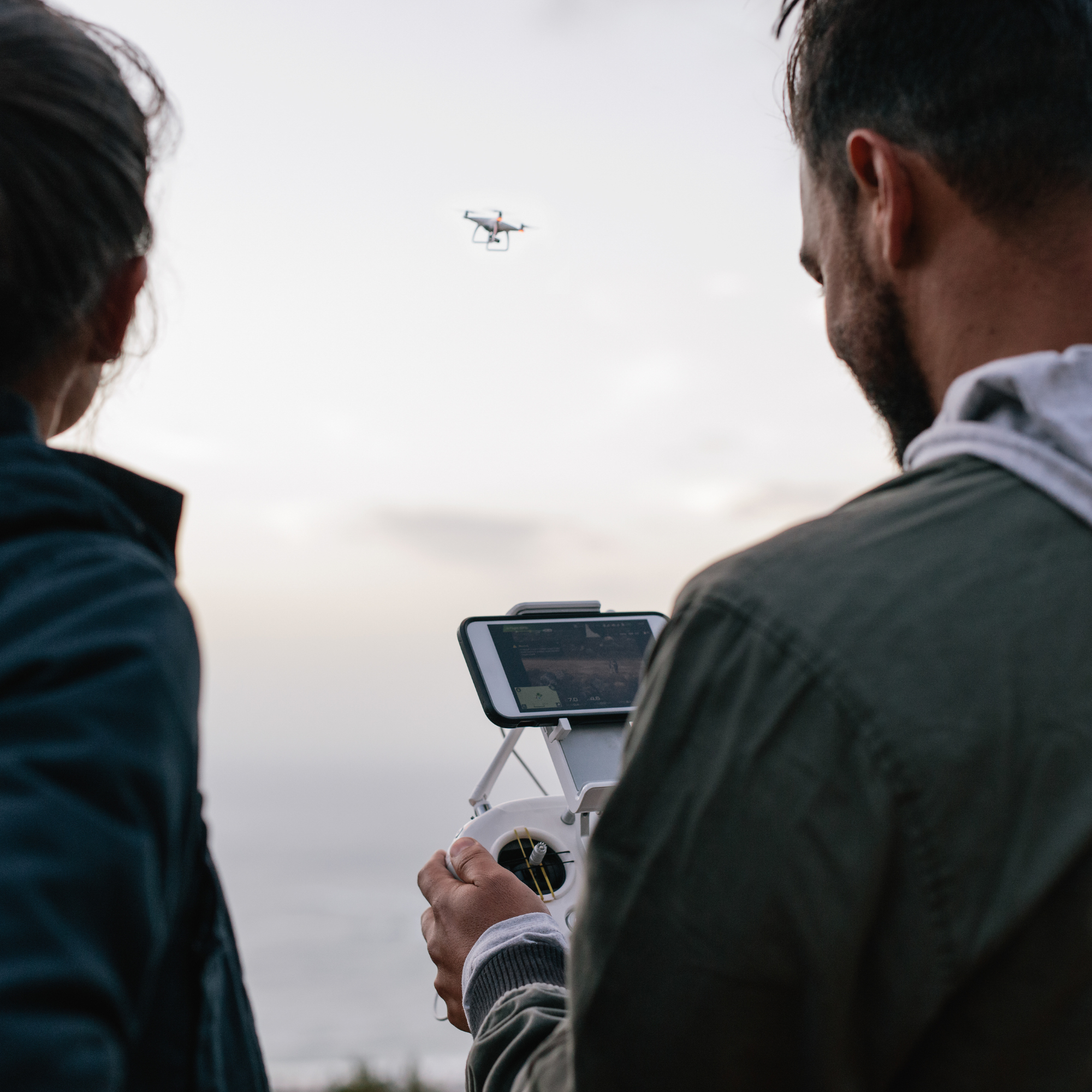
Keeping your eyes on the drone, you’ll be asked to estimate it’s altitude and distance from you. You could also be asked to fly to a reviewer-given distance and altitude. This might happen a couple times during the flight. Once you’re confident with your guess, you’ll be able to cross reference those with telemetry from the RPA.
What your reviewer needs to see
There are no +/- ranges given for us to rank your guesses. If candidates are really far off, I’ll give them another go. It’s helpful to know if your RPA is going to be showing you distance from the take-off point or the controller location, as those might be different enough to mess up your guess.
Perform a landing
What you can expect
As most likely the final flight exercise, you’ll be asked to land and shut down the motors. Complete any pre-landing checks, make sure the area is clear and land, noting the down time and securing the RPA as needed.
What your reviewer needs to see
Do it without scaring me. That’s really it! I might include some notes in your debrief to increase the safety or efficiency of your approach and landing, but there’s not a lot of complexity to this exercise. If you have a landing pad, getting all legs on it for the landing is a nice bonus but don’t stress if one sneaks off in the final seconds. It won’t impact your MET/NOT-MET scoring.
And that’s it for the flight skills!
An important tip with the review is not to rush. Take time to make adjustments, ask questions and stay organized. You’ll see that a reviewers job is mostly asking questions and setting up scenarios. A good reviewer will ask you a question you don’t know the answer to, and that’s okay! You don’t have to get everything 100% right to pass! You are allowed to look things up, but be realistic with what resources you use. Not all flights will be in areas with cellular coverage, so download appropriate resources and don’t rely on AI chatbots to fill in gaps in your knowledge.
We hope this helps you feel confident and prepared for your review! You can schedule your flight review with our Canada-wide network of reviewers by clicking the button below! Not only do you get your review, but included for free is a full prep course to answer any lingering questions you might have and get you started with your mock scenario.